Panels Blueprints
Overview
Panels blueprints let you define a reusable set of dashboard panels and apply them to multiple devices that share the same data point definition.
Apply a panels blueprint
Step 1: Create a panels blueprint
- Navigate to
Dashboard → Select dashboard → Panels. - Click the three dots at the top-right of the panel.
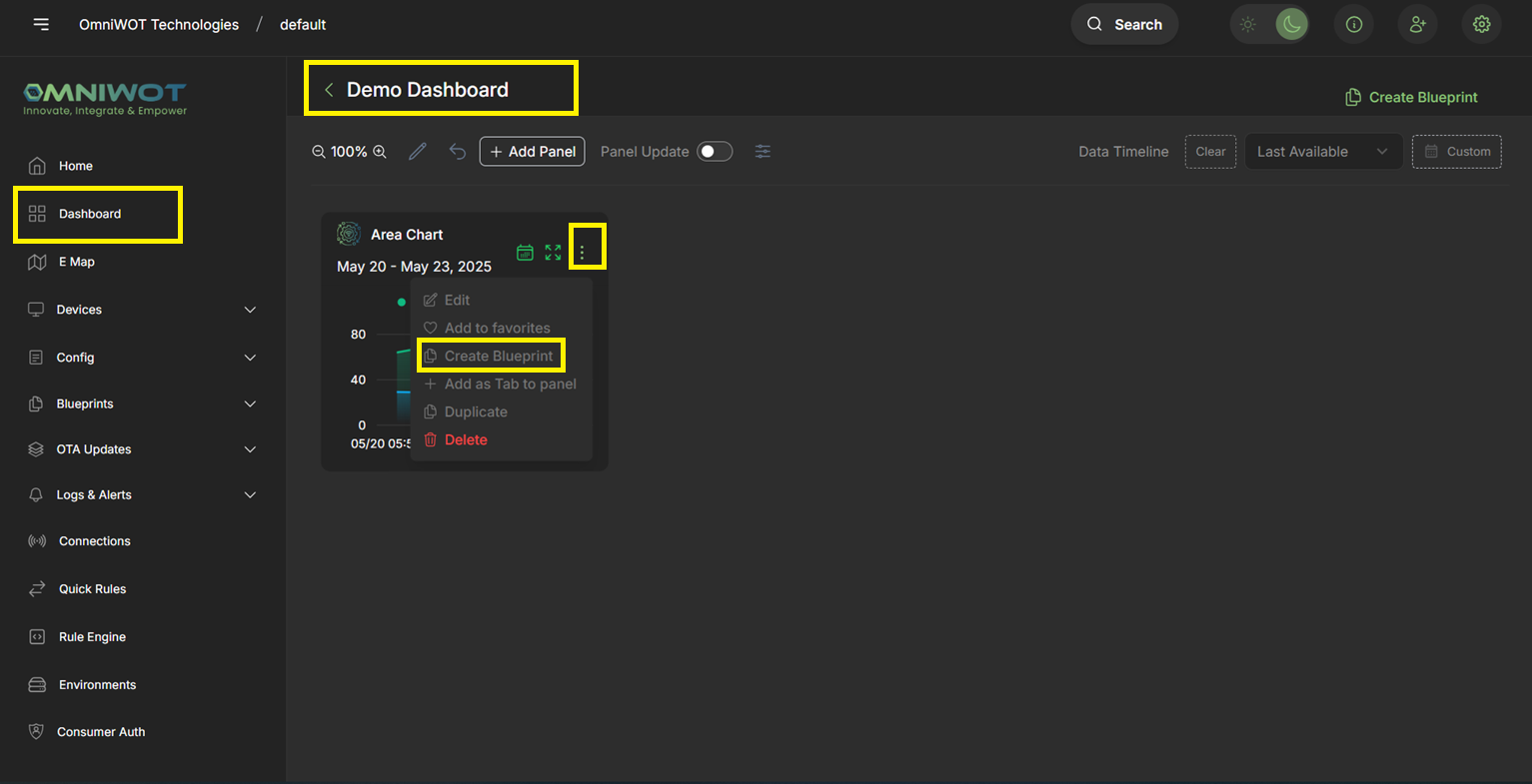
- Click
Create Blueprintto create a panels blueprint.
Step 2: Enter blueprint details
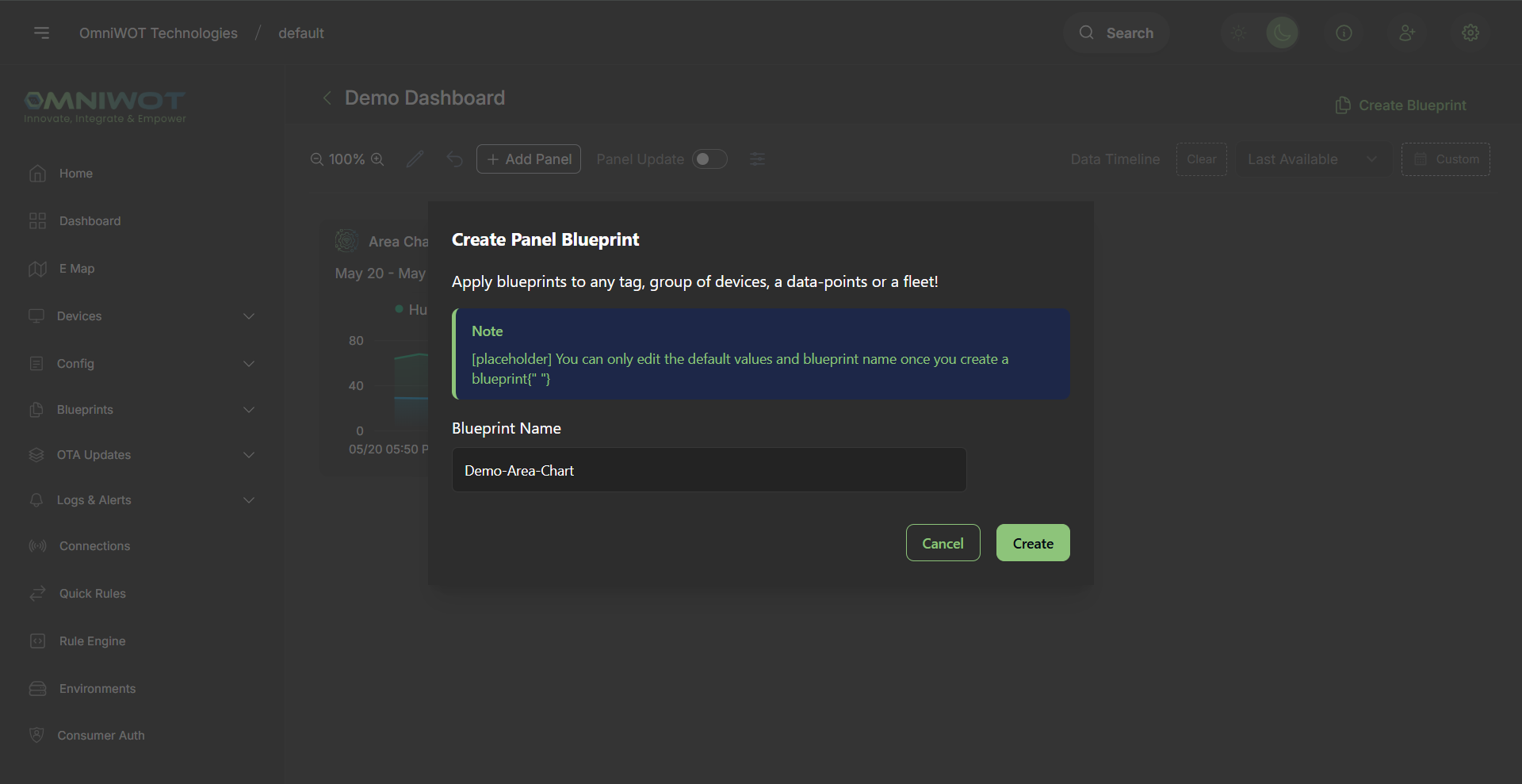
- Enter the required details and click
Create. - You will be redirected to the panels blueprint page.
Step 3: Open the panels blueprint page
- After creating a panels blueprint, you are redirected to its page. You can also access your panels blueprints anytime via
Blueprints → Dashboard panel.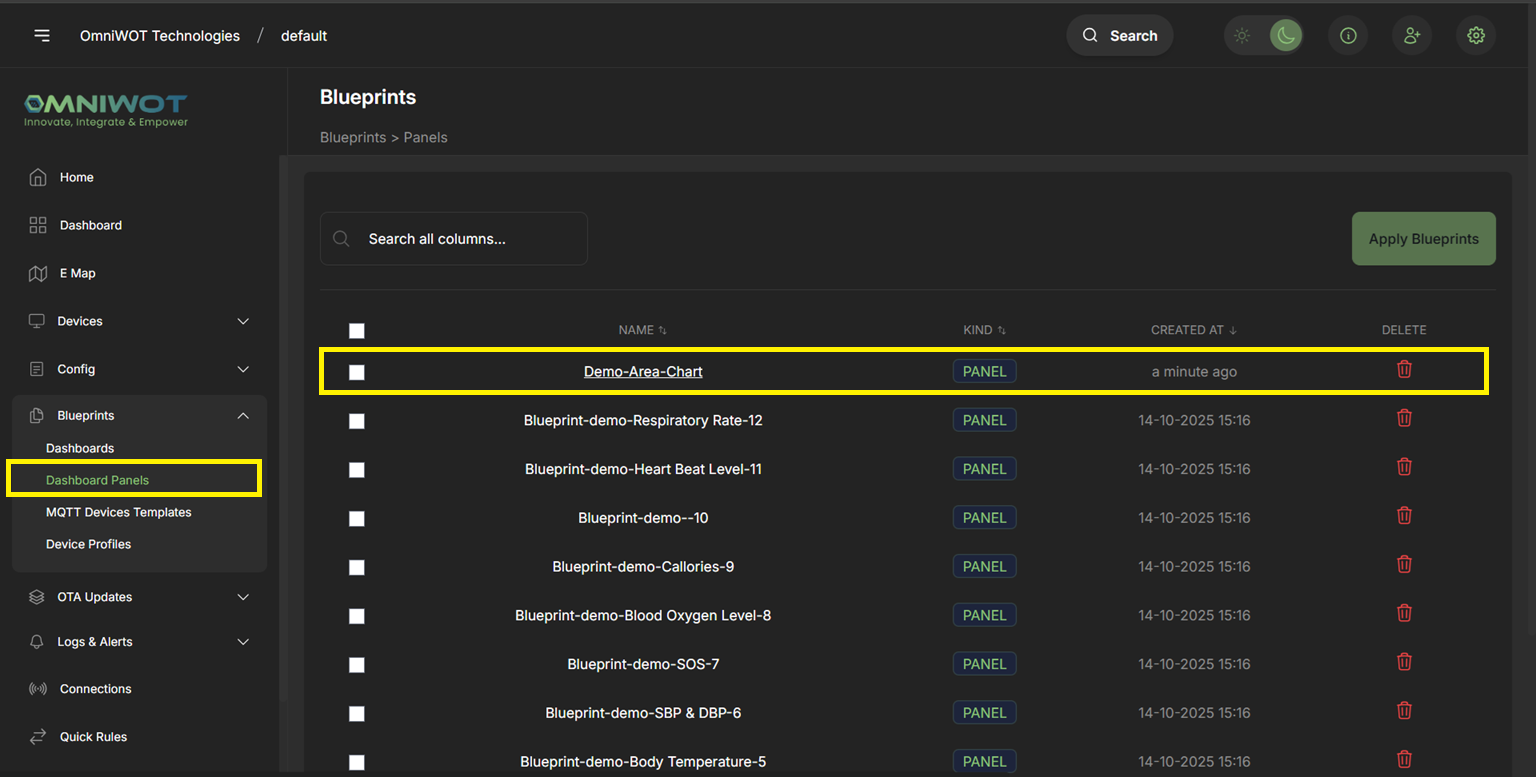
- Click
Blueprint panelsto open the panels blueprint page.
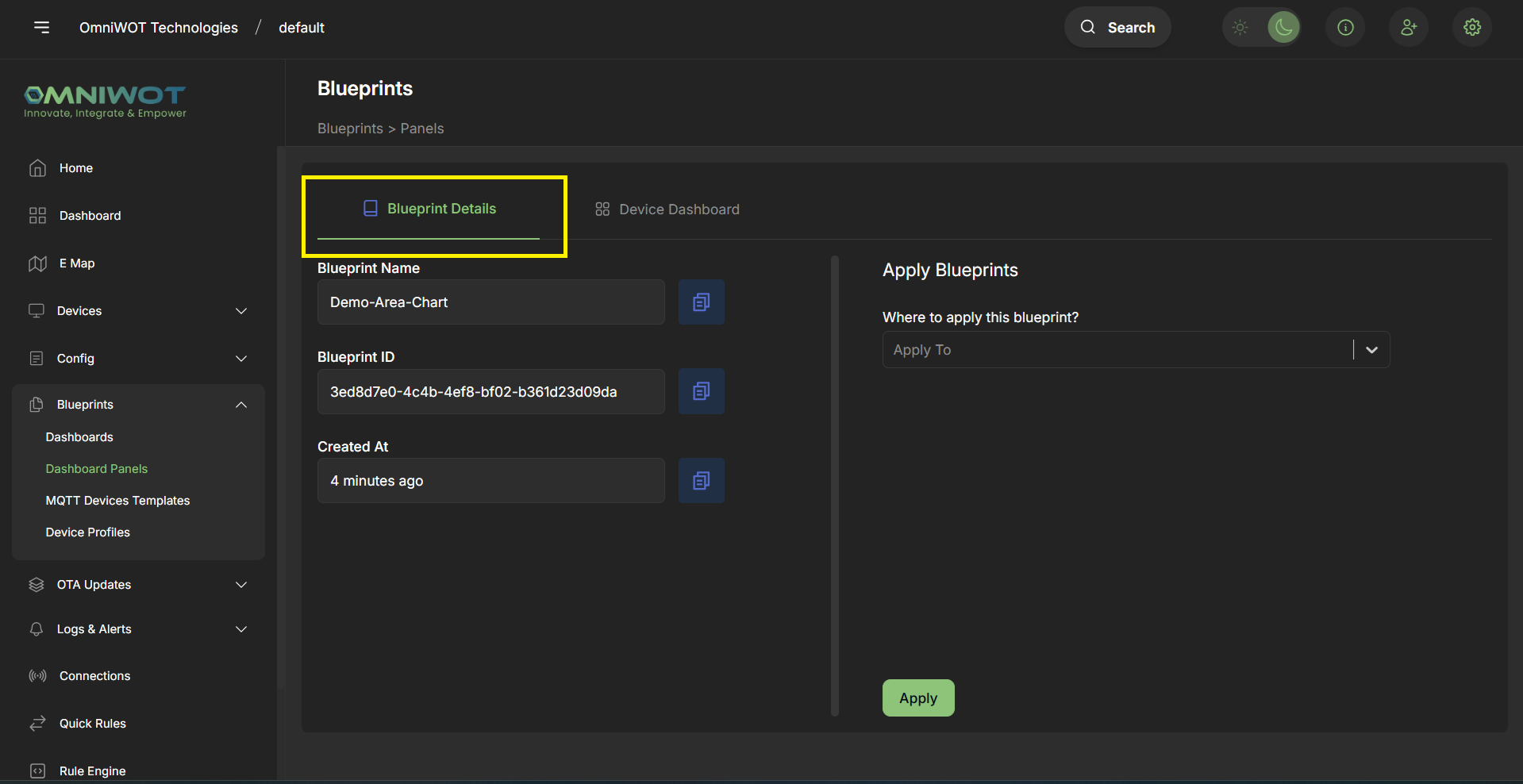
Step 4: View panels blueprint details
- Click
Blueprint Detailsto view the full configuration.
Step 5: View devices that have applied the panels blueprint
- Click
Devices Dashboardto see devices that have applied the panels blueprint.
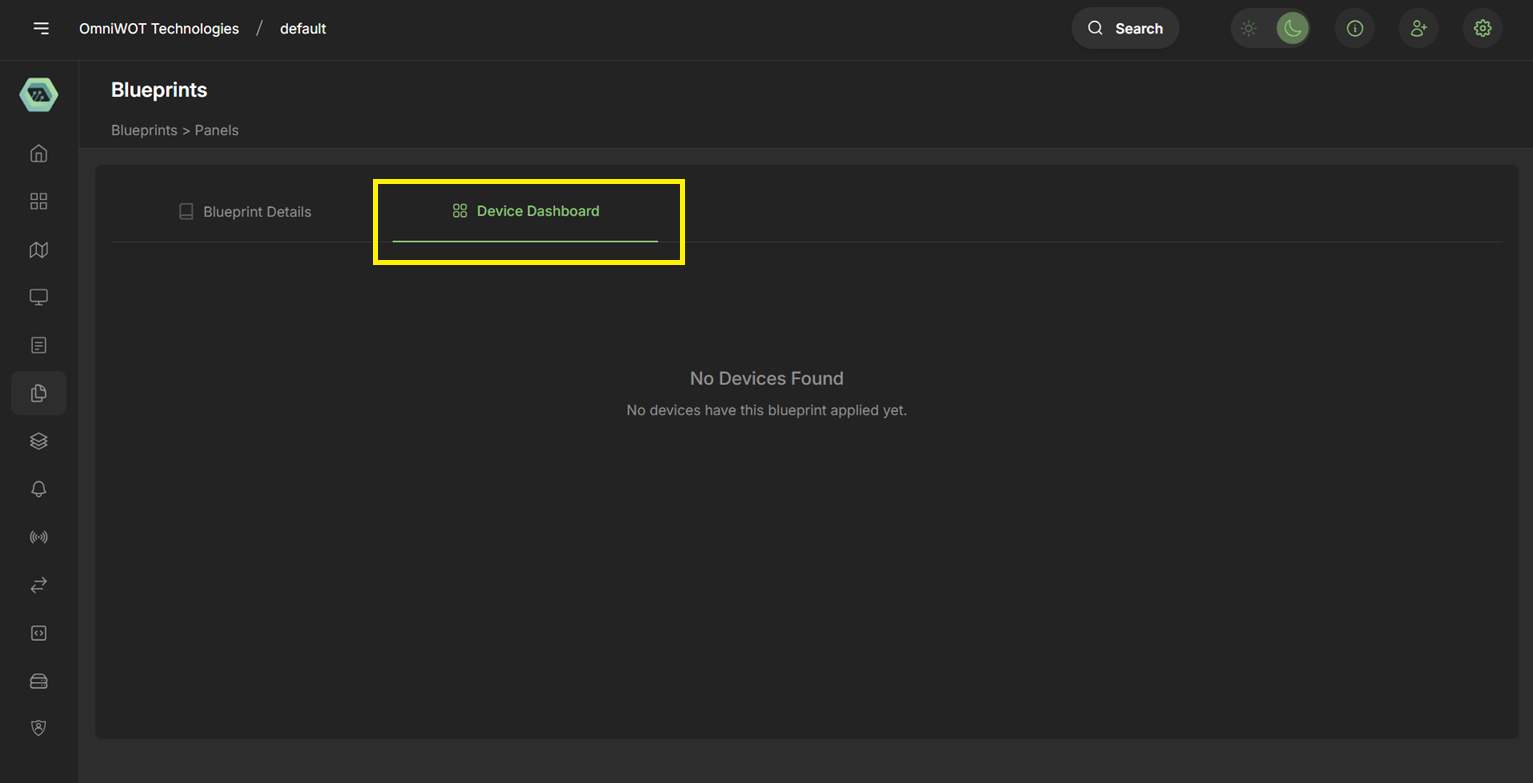
Step 6: Apply the panels blueprint to devices
- Open
Blueprint Detailsand choose how to apply the panels blueprint.
You can apply a panels blueprint in three ways:
1. Devices in data point definition
- Applies the panels blueprint to all devices that have the selected data point definition.
2. Devices with the tag
- Applies the panels blueprint to all devices that have the selected tag.
3. Devices in fleet
- Applies the panels blueprint to all devices in the selected fleet.
Note: The panels blueprint can only be applied to devices that share the same data point definition as the panels in the blueprint.
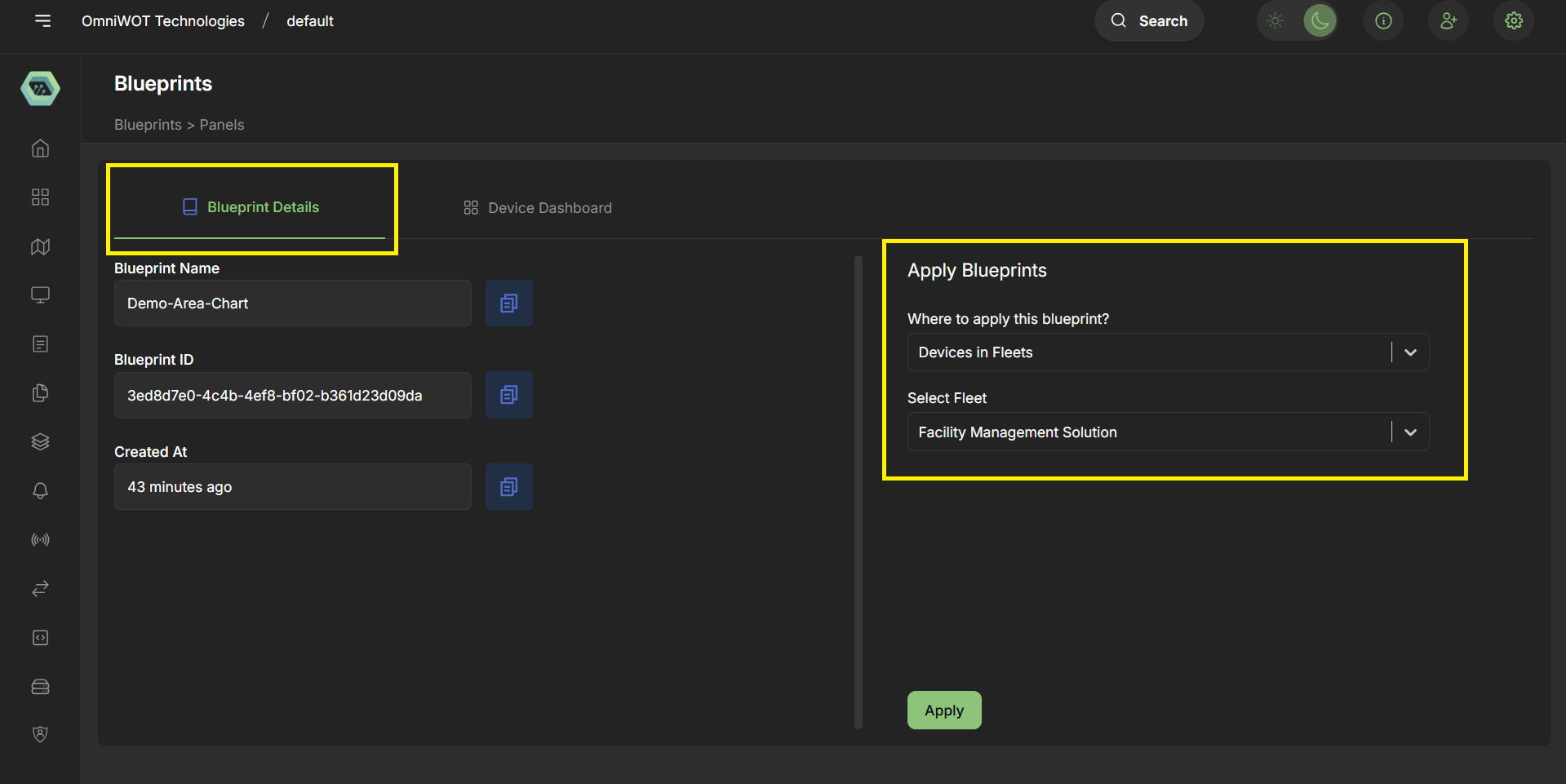
- Example: Select
Devices in fleet, choose a fleet from the dropdown, and clickApply.
Step 7: View devices that have applied the panels blueprint
- Navigate to
Devices Dashboard. - Use the device dropdown to select a device whose panels data you want to view.
- From the tabs, select the applied panels blueprint.
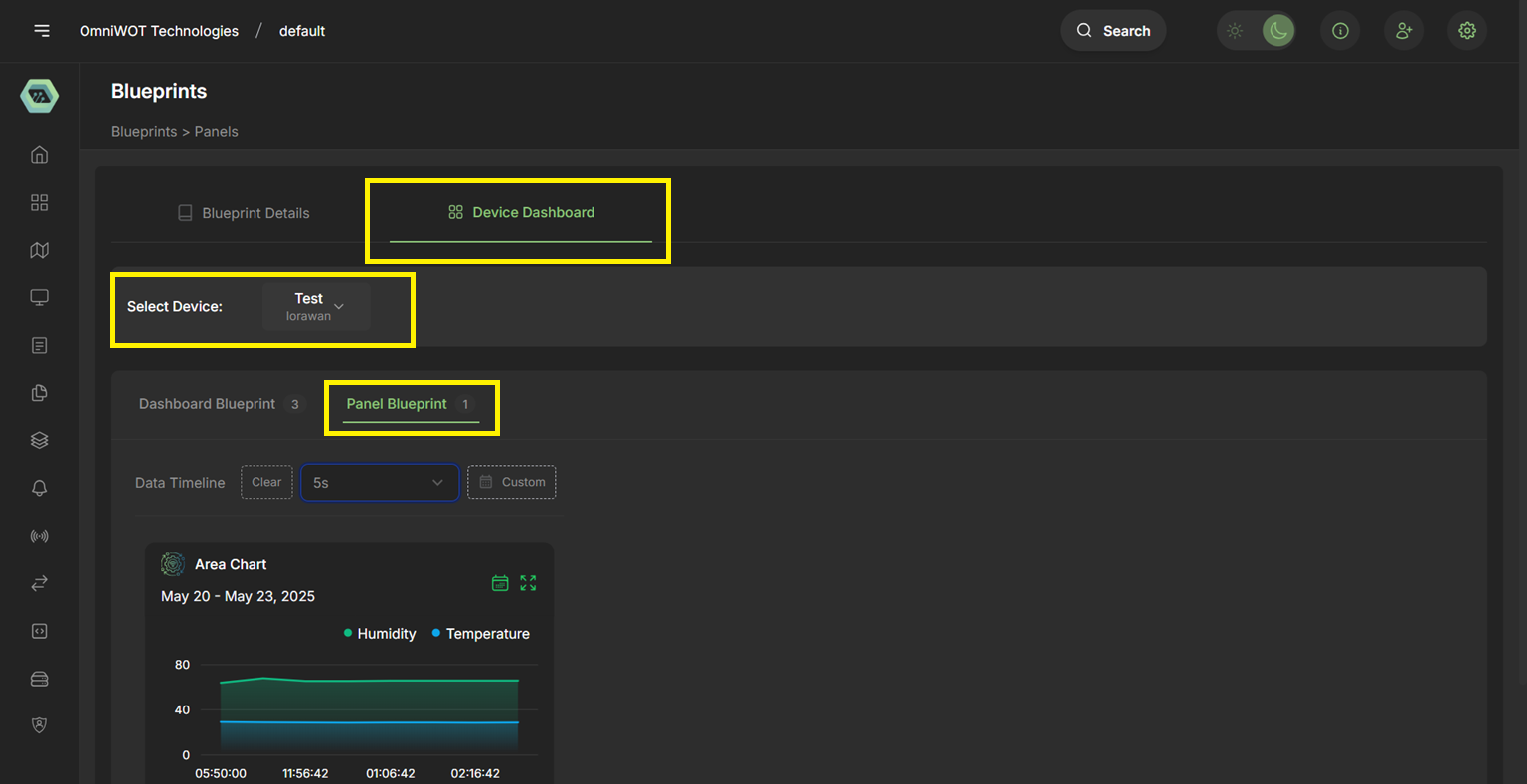
Access from device details
- Go to
Devices and Device Groups. - Select the
Device Group, then theDevice. - Open
Blueprints → Panels blueprint.